> For the complete documentation index, see [llms.txt](https://docs.cerrix.com/llms.txt). Markdown versions of documentation pages are available by appending `.md` to page URLs; this page is available as [Markdown](https://docs.cerrix.com/cerrix-documentation-nl/cerrix-functionaliteiten/admin-settings/ai-settings.md).
# AI-instellingen
Het **AI-instellingen** Deze pagina stelt toepassingsbeheerders in staat om AI-gestuurde functies binnen de CERRIX-omgeving in te schakelen en te beheren. Deze functies zijn ontworpen om de функционaliteit te verbeteren op verschillende gebieden van Risico, Compliance, Audit en governance.
### Toegang en machtigingen
Alleen gebruikers met de rol Toepassingsbeheerder hebben toegang tot de pagina AI-instellingen. Andere gebruikersrollen kunnen deze instellingen niet bekijken of wijzigen.
### AI-functies inschakelen
Om CERRIX AI-functies te activeren, moeten toepassingsbeheerders de volgende stappen volgen:
* **Navigeer naar de AI-instellingen** pagina onder Beheersmaatregelen voor beheer.
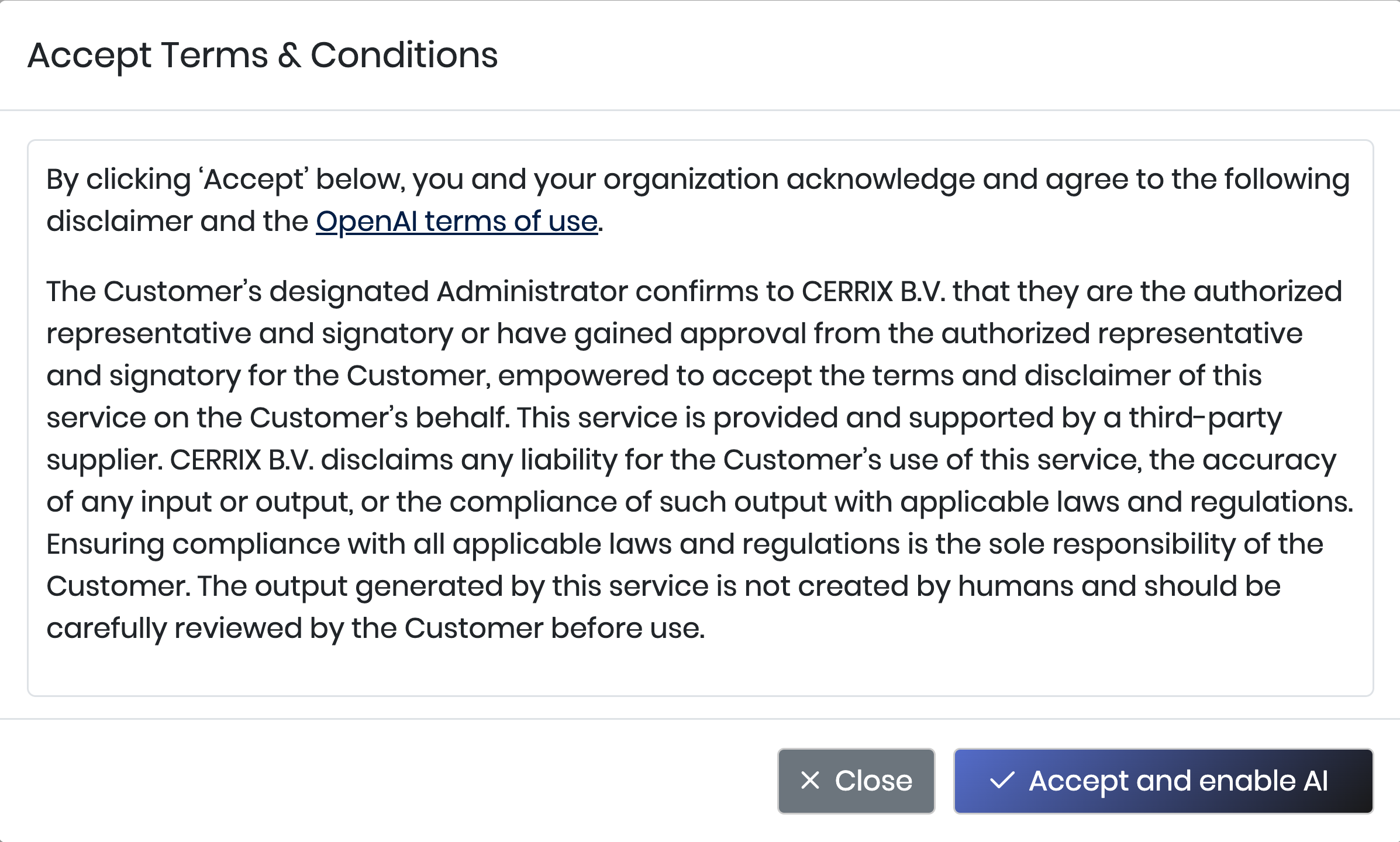
* **Beoordeel en accepteer de AI-voorwaarden en -condities.**
Het inschakelen van AI-functionaliteit vereist dat beheerders expliciet de aan AI-functies in het CERRIX-platform gekoppelde voorwaarden en condities erkennen en accepteren.
* **AI-functionaliteit activeren.**
Nadat de voorwaarden en condities zijn geaccepteerd, worden de CERRIX AI-functies ingeschakeld en overal in de applicatie toegankelijk, op basis van gebruikersrollen en de relevante context.
* **Stel de uitvoertaal in.**
Gebruik het **Uitvoertaal** instelling om te bepalen welke taal CERRIX AI gebruikt bij het genereren van tekst. Voor nu is deze instelling van toepassing op AI-gegenereerde Risico- en Beheersmaatregelbeschrijvingen, evenals op AI Document Extraction. Dit helpt om AI-gegenereerde content consistent te houden met de standaardtaal van uw Organisatie.
Ondersteunde talen:
* Nederlands
* Engels
* Frans
* Duits
* Deens
* Noors
* Zweeds
### Audit-trail
Voor transparantie en Compliance houdt CERRIX een log bij van:
* De gebruiker die de AI-voorwaarden en -condities heeft geaccepteerd.
* De tijdstempel van het moment waarop de acceptatie plaatsvond.

Deze informatie is beschikbaar voor Auditdoeleinden en helpt te zorgen voor goed bestuur rondom het gebruik van AI in uw omgeving.
### Beschikbare AI-functies
Voorbeelden van CERRIX AI-functionaliteit zijn onder andere:
{% content-ref url="/pages/51589df026c2c87954a66741fbfcfcd093a5dddf" %}
[AI Risico-omschrijvingsverfijning](/cerrix-documentation-nl/cerrix-functionaliteiten/module-overview/risks/ai-risk-description-refinement.md)
{% endcontent-ref %}
{% content-ref url="/pages/40658a2b2ad7aa49971f4f0ebd7b8e45d3dc55cf" %}
[AI Beheersmaatregel-omschrijvingsverfijning](/cerrix-documentation-nl/cerrix-functionaliteiten/module-overview/controls/ai-control-description-refinement.md)
{% endcontent-ref %}
{% content-ref url="/pages/fb381e158deead35a207e6565a0d4be6ec932622" %}
[AI-documentextractie](/cerrix-documentation-nl/cerrix-functionaliteiten/module-overview/risks/ai-document-extraction.md)
{% endcontent-ref %}
---
# Agent Instructions
This documentation is published with GitBook. GitBook is the documentation platform designed so that both humans and AI agents can read, navigate, and reason over technical content effectively. Learn more at gitbook.com.
## Querying This Documentation
If you need additional information that is not directly available in this page, you can query the documentation by asking a question.
Perform an HTTP GET request on the following URL with the `ask` and `goal` query parameters:
```
GET https://docs.cerrix.com/cerrix-documentation-nl/cerrix-functionaliteiten/admin-settings/ai-settings.md?ask=&goal=
```
`ask` is the immediate question: it should be specific, self-contained, and written in natural language.
`goal` is what the user is ultimately trying to achieve, the reason they need the answer. Sharing it helps GitBook give you a better, more relevant answer. A goal is most helpful when it describes the outcome the user wants rather than restating the question. For example, with `ask=how do I create an API token`, a goal like `automate deployments from our CI pipeline` lets GitBook tailor the answer to that use case.
The response will contain a direct answer to the question and relevant excerpts and sources from the documentation.
Use this mechanism when the answer is not explicitly present in the current page, you need clarification or additional context, or you want to retrieve related documentation sections.