> For the complete documentation index, see [llms.txt](https://docs.cerrix.com/llms.txt). Markdown versions of documentation pages are available by appending `.md` to page URLs; this page is available as [Markdown](https://docs.cerrix.com/cerrix-documentation-nl/over-cerrix/cerrix-community.md).
# CERRIX Community
Dien ideeën voor nieuwe functies in, neem deel aan discussies, stem op verzoeken en volg hoe ideeën door beoordeling en planning gaan.
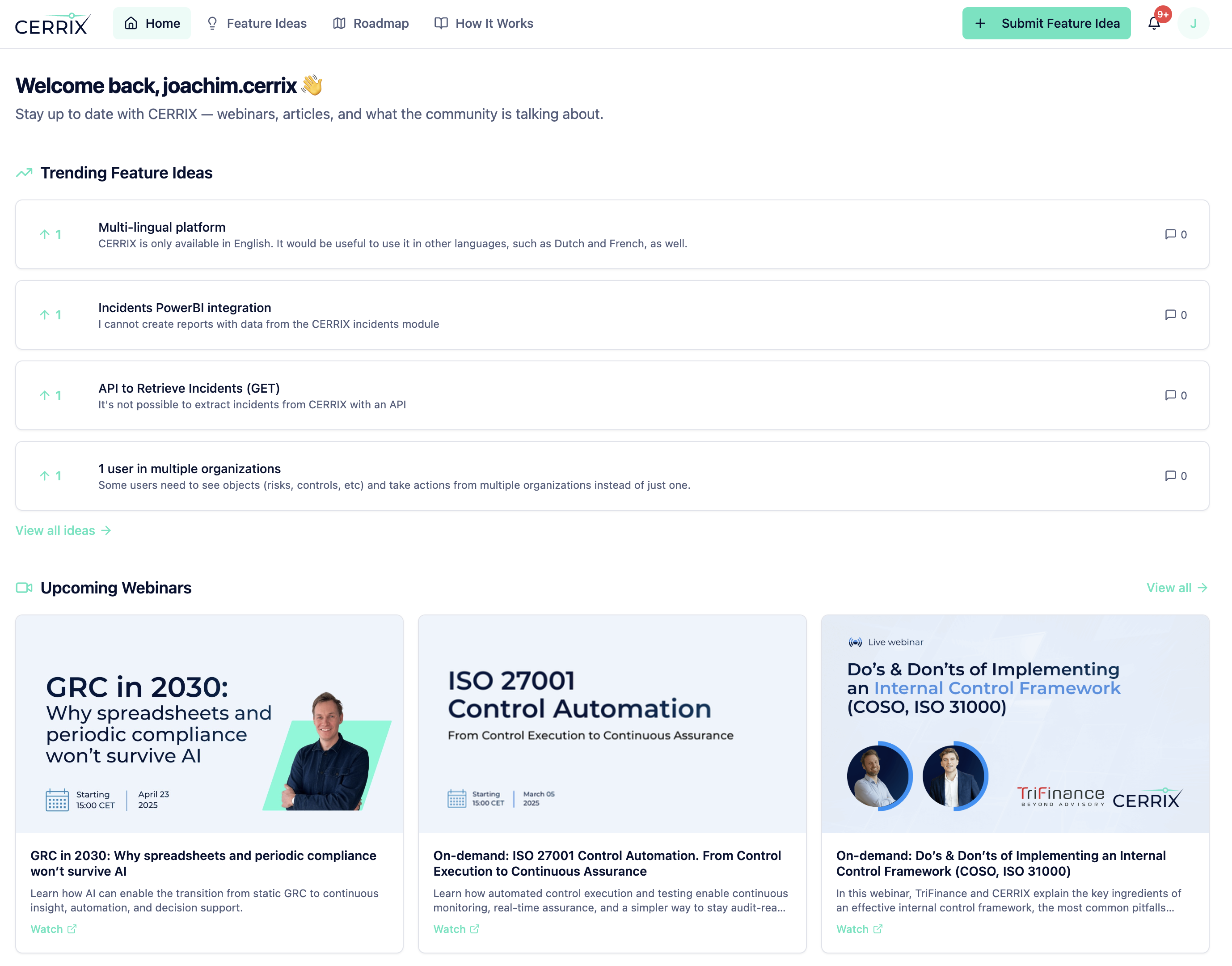
De CERRIX Community is de plek waar klanten functie-ideeën kunnen indienen, stemmen op bestaande verzoeken, volgen hoe ideeën door ons planningsproces gaan en deelnemen aan gesprekken met andere gebruikers.
U kunt hier toegang krijgen tot de community: [community.cerrix.com](https://community.cerrix.com)
## Wat u kunt doen
In de CERRIX Community kunt u:
* Functie-ideeën indienen op basis van echte zakelijke behoeften
* Stemmen op ideeën van andere klanten
* Ideeën bespreken en context toevoegen
* Start of neem deel aan discussies over best practices, implementatie, productonderzoek en algemene CERRIX-onderwerpen
* De voortgang volgen terwijl ideeën door beoordeling en planning gaan
* Een beter beeld krijgen van waar CERRIX als volgende aan werkt
{% hint style="info" %}
De CERRIX Community omvat zowel Feature Ideas als het Discussieforum.
Gebruik het voor productfeedback en collegiale discussies.
Voor bugs, incidenten, serviceverzoeken of productvragen gebruikt u het [Support Portal](https://support.cerrix.com/portal/home).
{% endhint %}
## Toegang krijgen tot de Community
Registratie is selfservice: collega’s maken hun eigen account aan op [community.cerrix.com/login](https://community.cerrix.com/login), zolang het e-mailadresdomein van uw organisatie is geregistreerd bij de Community. Geregistreerde domeinen worden automatisch herkend, dus een uitnodiging is niet nodig.
Als een collega zich niet kan registreren met zijn of haar zakelijke e-mailadres, is het domein waarschijnlijk nog niet geregistreerd. Vraag CERRIX-support om het toe te voegen; vanaf dat moment werkt registratie voor iedereen op dat domein.
{% hint style="info" %}
Community-accounts staan los van Support Portal-accounts. Voor een Support Portal-account, zie [Ondersteuning krijgen](https://docs.cerrix.com/about-cerrix/getting-support).
{% endhint %}
---
# Agent Instructions
This documentation is published with GitBook. GitBook is the documentation platform designed so that both humans and AI agents can read, navigate, and reason over technical content effectively. Learn more at gitbook.com.
## Querying This Documentation
If you need additional information that is not directly available in this page, you can query the documentation by asking a question.
Perform an HTTP GET request on the following URL with the `ask` and `goal` query parameters:
```
GET https://docs.cerrix.com/cerrix-documentation-nl/over-cerrix/cerrix-community.md?ask=&goal=
```
`ask` is the immediate question: it should be specific, self-contained, and written in natural language.
`goal` is what the user is ultimately trying to achieve, the reason they need the answer. Sharing it helps GitBook give you a better, more relevant answer. A goal is most helpful when it describes the outcome the user wants rather than restating the question. For example, with `ask=how do I create an API token`, a goal like `automate deployments from our CI pipeline` lets GitBook tailor the answer to that use case.
The response will contain a direct answer to the question and relevant excerpts and sources from the documentation.
Use this mechanism when the answer is not explicitly present in the current page, you need clarification or additional context, or you want to retrieve related documentation sections.